When choosing the best phone system for your estate agency, it is important to look beyond simply making and receiving calls.
More importantly, the right system affects how quickly teams answer inquiries, how consistently agents record information, how effectively they follow up and how clearly managers can monitor branch performance.
For an estate agency, every call could be a potential viewing, valuation, instruction, tenancy or long-term client relationship.
As a result, the phone system you choose can directly influence both the customer experience and your agency’s commercial performance.
However, with so many business phone systems available, how can you decide which one is right for your agency?
In this guide, we look at the ten most important features to consider when comparing the best phone systems for estate agents.
What makes an estate agent phone system different?
A standard business phone system allows employees to make, receive and transfer calls.
An estate agent phone system should do much more.
Estate agencies manage a high volume of time-sensitive conversations involving buyers, sellers, landlords, tenants, applicants, contractors and solicitors. These conversations often relate to specific properties, appointments and ongoing transactions.
The best phone systems for estate agents should connect calls with the rest of the agency’s workflow.
Instead of treating each conversation as an isolated phone call, the system should help your team identify the caller, access the right information, record the discussion and complete the appropriate next action.
Here are the ten features to look for:
1. Does the system integrate with your estate agency CRM?
CRM integration should be one of the first things you consider.
Without an integration, your phone system and CRM operate as two separate platforms. Agents need to search manually for a caller, switch between windows, type up notes and update contact or property records after each conversation.
This creates unnecessary administration and increases the risk that teams will miss important information.
A properly integrated estate agent phone system can connect each call with the correct CRM record. Depending on the integration, it may be able to:
- Identify the caller automatically
- Display their contact and property information
- Open the appropriate record in one click
- Log incoming and outgoing calls
- Add call notes and outcomes
- Store recordings or summaries
- Flag required follow-up actions
Before choosing a provider, ask exactly how its CRM integration works.
Some suppliers describe a basic contact directory connection as an integration. Others offer much deeper functionality that automatically connects conversations with contacts, properties, appointments and next steps.
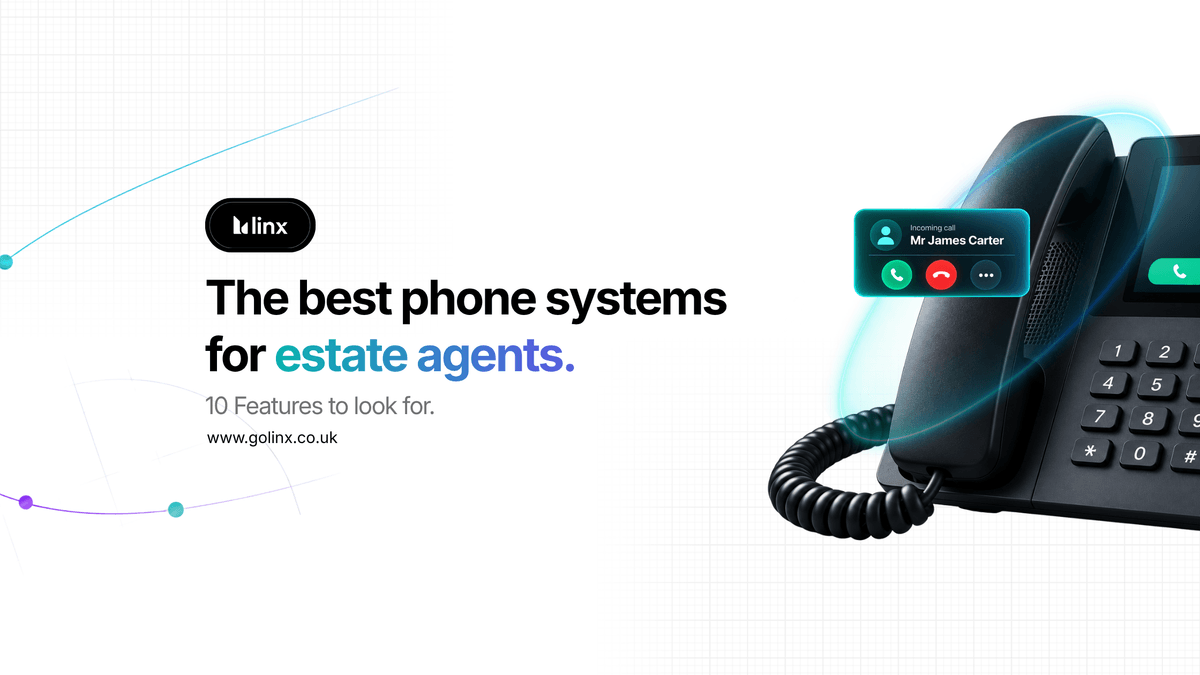
2. Does it show instant caller and property information?
When an existing customer calls, your team should not have to spend the first part of the conversation working out who they are and why they might be calling.
A smart caller pop-up can display useful information before your team answers the call, including:
- The caller’s name
- Whether the caller is a buyer, seller, landlord or tenant
- Properties linked to their record
- Recent conversations
- Upcoming appointments
This allows the agent to answer with context.
Instead of asking the caller to repeat information the agency already holds, the team member can provide a faster and more personal service from the start of the conversation.
Moreover, caller context becomes particularly valuable in a busy branch where several agents may deal with the same applicant, landlord or property.
It helps everyone deliver a more consistent experience, regardless of who answers the call.
3. Is there automatic call recording and transcription?
Call recording can be helpful for quality assurance, training, dispute resolution and checking important information.
However, finding a detail within a lengthy recording can still take time.
An AI-enabled phone system can go further by automatically transcribing the conversation.
This creates a searchable written record of the conversation, helping authorised team members find names, dates, requirements and agreed actions more quickly.
For example, an agent may need to confirm:
- The viewing time agreed with an applicant
- A vendor’s position on an offer
- A landlord’s maintenance instructions
- A buyer’s property requirements
- The next step promised by a member of the team
Rather than relying on memory or listening to an entire recording, authorised team members can quickly find the information within the transcription.
When comparing systems, check where they store recordings and transcriptions, who can access them and how long they keep them.
You should also make sure the provider offers appropriate privacy, security and data protection controls.
4. Does it create AI-generated call summaries and CRM notes?
Manual call notes are one of the most repetitive administrative tasks within an estate agency.
Agents may finish a conversation and immediately need to answer another call, attend a viewing or respond to an urgent email. Notes can become rushed, incomplete or forgotten altogether.
An AI phone system can automatically analyse the conversation and create a structured summary containing:
- The reason for the call
- Important information discussed
- The outcome of the conversation
- Actions agreed by the agent
- Recommended next steps
- Relevant follow-up requirements
The strongest systems can then add information to the correct CRM record automatically.
This gives the wider team a clear account of the conversation without requiring the agent to type everything manually.
It also creates more consistent records across the agency. Instead of each team member using a different note-taking style, the system can document calls in a clear, structured format.
5. Can it track missed calls and clear callback workflows?
A missed call should not disappear into a general call log.
It could represent a valuation inquiry, an applicant ready to book a viewing or a landlord considering changing agents.
Your phone system should make missed calls easy to identify, assign and return.
Useful missed call features include:
- A central list of missed calls
- Identification of known CRM contacts
- One-click callbacks
- Callback status
- The outcome of the returned call
- Reporting on calls that remain unreturned
This improves accountability and helps managers see whether teams follow up on missed inquiries promptly.
It is also important to distinguish between unanswered calls and unresolved opportunities.
A team member may return a call but fail to make contact. Alternatively, the person may have already spoken to someone else or no longer requires assistance.
Tracking the eventual outcome gives managers a more accurate view than simply counting missed calls.
6. Does it log call outcomes and enable conversion tracking?
Traditional phone reports normally show basic information, such as call volumes, duration and answer rates.
These figures can be useful, but they do not reveal what the calls achieved.
A modern estate agent phone system should help you understand outcomes such as:
- Viewing booked
- Valuation booked
- Offer received
- Rental inquiry
- Landlord inquiry
- Maintenance issue
- Follow-up required
- Opportunity lost
This connects phone activity with commercial results. For example, two branches may receive a similar number of calls but produce very different numbers of valuation appointments. Without outcome tracking, those differences can be difficult to identify.
Conversion reporting allows managers to examine which calls are producing appointments and where opportunities may be dropping out of the process.
It can also highlight whether particular inquiry types, campaigns, branches or times of day are generating stronger results.
7. Does it offer click-to-dial and automatic outbound call logging?
CRM integration should improve outgoing calls as well as incoming ones.
Click to dial allows agents to call a contact directly from the CRM without manually entering their telephone number.
This may appear to be a small convenience, but repeated across an entire team and thousands of calls, it can create a smoother and more efficient workflow.
The system should also log the outgoing call against the correct contact automatically.
Where supported, the system should record, transcribe and summarise outbound conversations in the same way as incoming calls.
This is particularly useful for activities such as:
- Applicant follow-up
- Vendor updates
- Viewing feedback
- Valuation prospecting
- Offer negotiation
- Landlord communication
- Sales progression
This creates a more complete communication history and reduces the risk that an important conversion will go unrecorded in the CRM.
8. Does it enable agent performance insights and support coaching?
Teams often review call recordings only when a problem occurs.
An intelligent phone system can make call coaching more proactive by analysing conversations across the team and highlighting patterns.
Depending on the system, this may include areas such as:
- Quality of the introduction
- Active listening
- Rapport building
- Accuracy
- Objection handling
- Appointment booking
- Closing conversations
- Sentiment
- Agreed next steps
Managers should still apply their own judgement. Nevertheless, it gives them a more consistent starting point for training and coaching.
It can help managers identify strong calls to share, support team members who need guidance and pinpoint where teams lose opportunities during conversations.
The goal should be to improve performance and consistency, not simply monitor employees.
Before introducing scoring, agencies should set clear expectations, explain how they will use the information and ensure that coaching remains fair and constructive.
9. Does it support multi-branch visibility and reporting?
As an agency grows, phone activity becomes more difficult to understand across different offices, teams and departments.
A multi-branch phone system should provide a central view while still allowing managers to examine individual branch performance.
Reporting should ideally be filterable by:
- Branch
- Team
- Agent
- Date range
- Incoming or outgoing call
- Caller type
- Inquiry type
- Call outcome
This can help senior leaders compare performance, identify coverage gaps and make more informed decisions about training and resources.
It also avoids the need to collect separate reports from multiple offices and manually combine them.
For growing groups, ask how easily the system lets you add new branches and users. The right system should be able to scale with the agency without creating a separate setup for every location.
10. Is AI call handling available 24/7?
Even a well-resourced agency cannot answer every call immediately.
Calls may arrive during busy periods, outside opening hours or while the team is attending appointments.
An AI receptionist can provide an additional level of coverage by answering calls and completing agreed tasks when a team member is unavailable.
Depending on its configuration, an estate agency AI receptionist can:
- Answer common questions
- Capture new inquiries
- Qualify buyers, sellers, landlords or tenants
- Book viewings and valuations
- Take messages
- Transfer calls
- Send confirmations
- Update the CRM
- Handle selected payment processes
The key consideration is whether the experience feels natural, accurate and appropriate for your agency.
The AI receptionist should follow your process, use your preferred terminology and transfer or escalate conversations to a person when necessary.
It should support your team, not create a disconnected customer journey.
Other questions to ask a phone system provider
Features are important, but quality of the provider matters too.
Before making a decision, ask:
How will your provider implement the system?
Find out how long installation usually takes, what information the provider needs and how they will minimise disruption.
What support is available?
Ask where the support team operates, when you can contact them and how they escalate faults or urgent issues.
Can the system support remote and mobile working?
Agents may need to make and receive business calls away from the office while maintaining the correct caller identity and call records.
How does the provider protect customer data?
The provider should be able to explain its security measures, data-processing arrangements, permission and retention policies clearly.
Can the system grow with the agency?
Consider future branches, additional users, CRM changes and new AI functionality rather than focusing only on your current requirements.
What is the best phone system for an estate agency?
The right choice will depend on your agency’s size, CRM, branch structure, inquiry volumes and growth plans.
However, the best phone systems for estate agents generally have one thing in common: they connect conversations with actions and outcomes.
They do more than route calls.
They help agents answer with context, automate repetitive administration, improve follow-up and give managers a clear view of how phone conversations contribute to appointments and revenue.
A system may offer excellent call quality, but if your team still needs to search manually for every customer, type every note and maintain separate call reports, it is unlikely to deliver the full operational benefit available for a modern platform.
Choose a system that improves what happened after the call
Do not measure the quality of a phone system solely by what happens while the phone is ringing.
The real value is in what happens next.
- Did the team record the inquiry properly?
- Have they booked the appointment?
- Are the next steps complete?
- Can another team member understand the agreement?
- Can the manager see whether the team converted the opportunity?
The best estate agent phone systems make those answers clear.
By choosing a platform that connects every conversation with CRM, team and commercial reporting, your agency can deliver a more consistent customer experience while giving employees more time to focus on instructions, relationships and deals.
How Linx supports estate agencies
Linx provides estate agents with an AI phone system that meets the specific needs of their industry.
It integrates with estate agency CRMs to provide caller property context, one-click record access, automatic call recording, transcription, AI-generated summaries, synced CRM notes, missed call tracking and performance reporting.
Linx also offers an AI Receptionist that can answer calls, handle inquiries, book appointments and keep information connected with the agency’s existing systems.
This brings the phone system, CRM workflow and call intelligence together, helping agencies reduce administration and make more of the opportunities already coming through their phone lines.
Discover how Linx AI Phone System can connect your calls, CRM and commercial performance.